I promised in my last book update that I’d be open about the process of writing, so I guess I’d better start with what tools I’m using. After all, everything else flows from that. No matter how good my intentions, if I can’t carry them out, there’s no point.
Hardware
In the office? A big ‘ol Mac.
It’s not brand new (in fact it’s about four years old, I think) but it’s not old and knackered, either. I’m expecting to replace it some time in the next year or so but there’s no urgency about that, as everything works.
Added to that is a second monitor. When my younger daughter’s PC died I hung onto the screen, always intending to repair the main box, but never got around to it. I’ve recently spent £6 and a bit on Ebay to buy an output to convert to VGA, plugged the spare monitor into the back of my Mac and turned on. It’s a Mac: it just worked, obviously! :) What it means for me is a significant increase in screen space.
I’ve only had that set-up for a week or so but so far I’m finding it very handy. In front of me is whatever-I’m-working-on and off to the left is the additional monitor, showing me background stuff. On a bad day that’s Facebook -but hopefully that’s more likely to be research/source materials
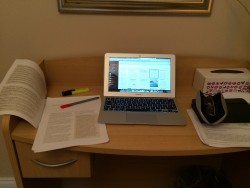 On the road is my MacBook Air and – for when I have ideas when I’m out and about, my iPhone. (Currently a 4S, but about to be upgraded to a 5s, just as Apple bring out the iPhone6).
So…. good kit but nothing particularly special.
Software
This is even more simple!
For writing, I’m using Pages, Apple’s equivalent of Word. Pretty much everything else is the default stuff too – nothing fancy that I’ve got to pay for!
For talking to people – Skype. It’s free and it works – what’s not to love!?
For capturing bright ideas – Evernote. I love Evernote. The book has a notebook of its own inside Evernote allowing me to easily capture ideas and notes wherever I am. As soon as I’m online, my iPhone, Macbook and the Mac in the office all sync up so everything I’ve thought, anywhere, is available everywhere.
As it happens, because my mobile phone etc is provided by O2, I get the Premium version of Evernote for free for a year but I can’t think of anything I’ve used so far (or can envisage using) that isn’t also available on the free version. I’d have to be seriously hammering it to go over my space allowance, for example
Conversations and managing the project – Well now… this is a bit more of an issue, because I’m not necessarily very disciplined about this kind of thing. I’m experimenting with Contatta (free while it’s still in beta testing) and I’ve got a $9/month account with Insightly as my CRM/Project Management tool. Insightly doesn’t have particularly good project management facilities, but as I’m paying for it anyway as a CRM, I’m going to stick with it as a backup to the unknowns of Contatta. Hopefully Contatta will prove to be as good as it feels so far and I’ll not have to enter everything twice! :)
File store – every things on GoogleDrive. Why wouldn’t you?! :) It’s free and it means that all the chapters are available everywhere. Plus, it effectively counts as a form of backup. Most of my work stuff that needs to stay in the cloud is on DropBox, this is something of an experiment – but I can’t imagine it’s going to be a problem.
Summary
So that’s it – nothing hugely fancy! I’ll let you know how well I get on with it as we go.


Thanks for the great article, I was hunting for information such as this, going to visit the other posts.